A webhook is QRFLOW calling your address when something happens, instead of your system asking us over and over. It is a Business plan feature, set up under Webhooks on your account page: give an https address, pick the events you want, and every delivery arrives signed so you can prove it came from us.
The four events
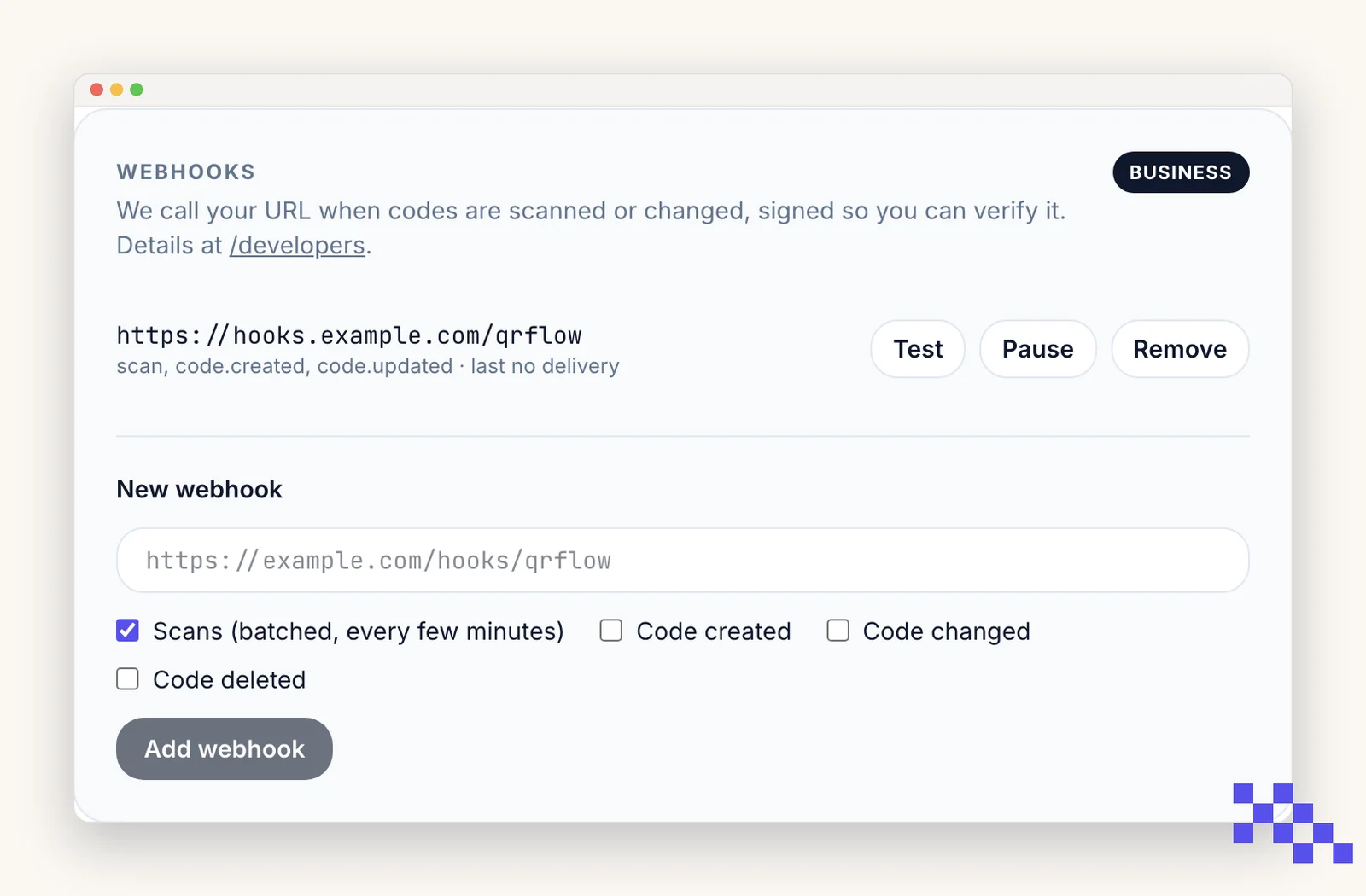
- scan: somebody scanned one of your codes. These are batched, not instant. Every five minutes we collect the new scans for your webhook and send them in one delivery, up to 500 at a time.
- code.created: a code was made, whether from the site, the API or an AI assistant.
- code.updated: something about a code changed, including a new destination, a pause or a new expiry date.
- code.deleted: a code was removed.
The Test button sends a fifth kind, ping, right away and does not retry it. Use it to prove your endpoint is reachable before you rely on the real events.
What arrives
Every delivery is a POST with a JSON body in the same shape, whatever the event:
{ "id": "9f1c...", "event": "code.updated", "created_at": "2026-10-13T18:04:11.000Z", "data": { } }
The id stays the same across every retry of one delivery, so the safe way to handle a repeat is to store ids you have already processed and ignore one you have seen. A scan delivery carries the batch in data, each with its time, device, country, city, referrer, browser, operating system and language.
Two headers come with it: X-QRFLOW-Event, which repeats the event name so you can route on it without parsing the body, and X-QRFLOW-Signature.
Check the signature before you trust the body
Anyone can POST to a public address. The signature is what proves a delivery is ours. It looks like t=1760000000,v1=4f2b... where t is a Unix timestamp and v1 is an HMAC-SHA256.
- 1Take the raw body
The exact bytes you received, before any JSON parsing or reformatting. Re-serializing changes the signature.
- 2Build the signed string
The timestamp from the header, a period, then the raw body: <t>.<body>
- 3HMAC it with your webhook secret
SHA-256, hex output. The secret starts with whsec_ and is shown on the webhook in your account.
- 4Compare with v1, and check the age
Use a constant-time comparison. Reject anything where t is more than a few minutes old, which stops an old delivery being replayed at you.
When your endpoint is down
- A delivery counts as accepted on any 2xx response. Anything else is a failure, and so is taking longer than 8 seconds.
- We retry six times, after 1 minute, 5 minutes, 15 minutes, 1 hour, 4 hours and 12 hours. After that the delivery is dropped.
- Twenty failures in a row switch the webhook off and send you an email saying so. Nothing is lost silently.
- Turn it back on from the account page once your endpoint is answering. Deliveries that were dropped while it was off do not come back, so read the scan history from the API or the CSV export if you need to fill the gap.
Tip. Answer 200 first, then do the work. An endpoint that finishes a slow job before replying will keep hitting the 8 second timeout and look broken to us while working fine for you.
Address rules
- https only. Plain http is refused.
- A public host. localhost, .local, .internal, private network ranges and qrflow.codes itself are all refused. To test on your own machine, use a tunnel that gives you a public https address.
- No username or password in the URL. The signature is how you tell our calls apart from everyone else's.
Pick the plan that fits
Free never expires. Premium is $4 a month for dynamic codes and scan analytics. Business is $29 for link domains, a team of five and the API.
Still stuck? Search the help center, or contact support and a person will answer.