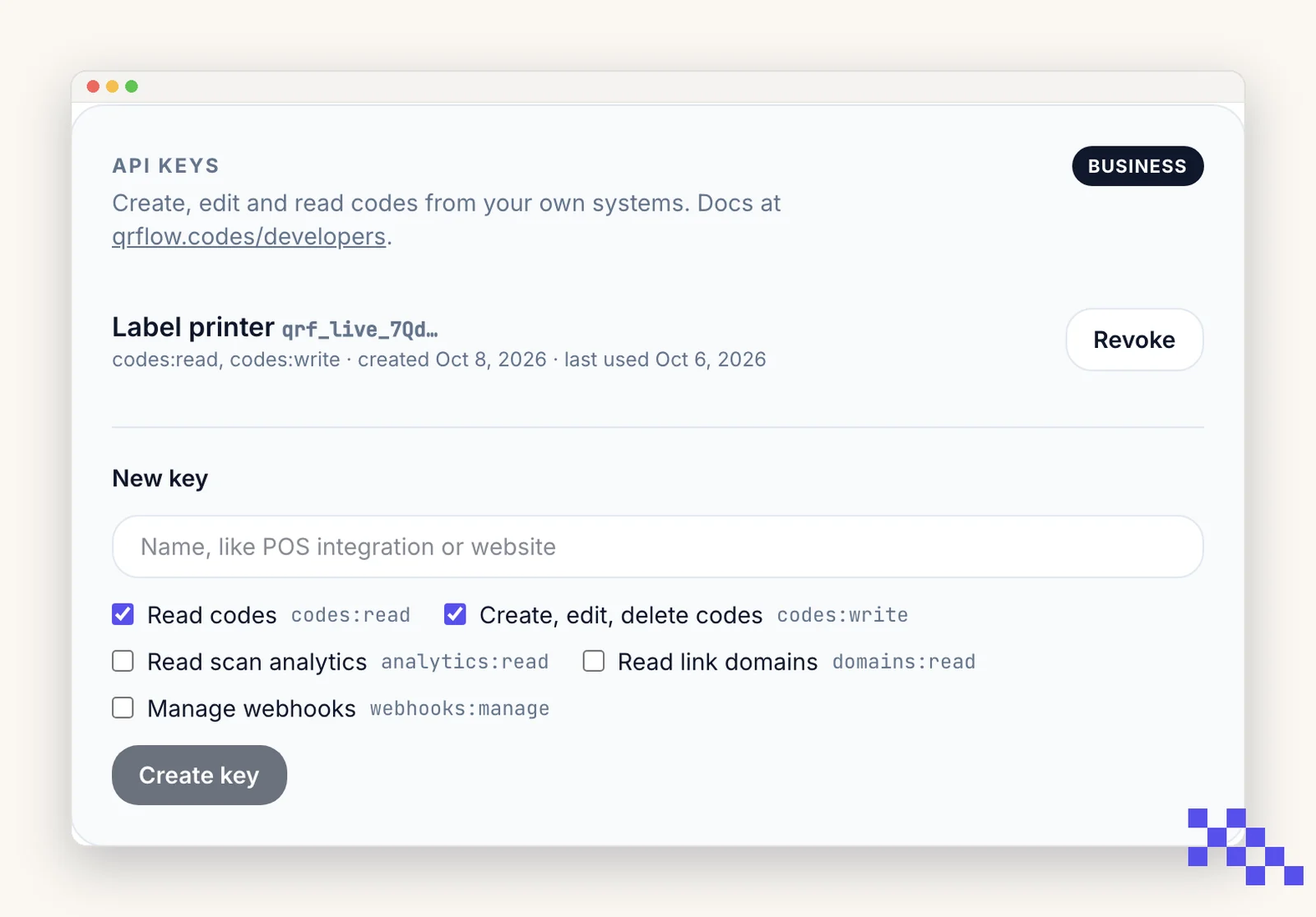
On Business you can make API keys on the Account page. A key lets your own software do what the dashboard does: create codes, change a dynamic code's destination without reprinting, name links on your domain, pull scan analytics and bulk-generate. The same account also works as an MCP server for Claude, ChatGPT, Cursor and Claude Code, and can push scans and changes to your own URL with webhooks. The full reference with examples is at qrflow.codes/developers.
Make a key
- 1Open Account, then API keys
Name the key after what will use it (POS integration, website) and tick the scopes it needs: read codes, write codes, read analytics, read domains.
- 2Copy it once
It looks like qrf_live_… and is shown a single time; we keep only a hash. If you lose it, revoke it and make a new one.
- 3Send it as a bearer token
Authorization: Bearer qrf_live_… on every request to https://qrflow.codes/api/v1. Try GET /me first.
Rules
- Keys are for servers. Never put one in a web page, a mobile app or a shared spreadsheet.
- 600 requests a minute per key; up to 10 keys per account. Bulk through the API counts against the same monthly allowance as the Bulk page.
- Codes created by a key show the key's name as their source on the Dashboard.
- If the account leaves Business, keys keep working for 30 days, then answer 402 until Business is back. Nothing is deleted.
- Developer docsQuick start, every endpoint, the Code object, limits and errors.
- Build recipesNext.js, Express, Workers, Supabase, Python, bulk CSV, OAuth, Zapier.
- Prompts to paste into Claude, ChatGPT or CursorTell your coding assistant exactly what to build.
- TroubleshootingEvery error code: what caused it and what fixes it.
- WebhooksThe other direction: we call you when a code is scanned or changed.
- Team seats
Ask Claude or ChatGPT to make a code
Add QRFLOW as a connector (Claude: Customize, Connectors, Add custom connector, or press Connect on the directory listing; ChatGPT: Developer mode, then Plugins). Sign in to QRFLOW once and click Allow. From then on you can say "make a QR code for our fall menu page" or "how many scans did the poster get last week" and the assistant does it in your account. This sign-in works on every plan; what the assistant can make follows your plan like the dashboard.
https://qrflow.codes/mcp
claude mcp add --transport http qrflow https://qrflow.codes/mcp
Codes an assistant makes show "mcp" as their source on the Dashboard. Disconnect the assistant any time from Account, Connected apps.
Webhooks
Account, Webhooks: give us an https URL and pick events. Scans arrive in batches every few minutes; code.created, code.updated and code.deleted arrive at once when the change came through the API or an assistant and within minutes from the dashboard. Every call is signed (X-QRFLOW-Signature) with a secret shown once; the developer page has the verification snippet. Six retries over twelve hours; twenty failures in a row switch a webhook off and we email you.
Pick the plan that fits
Free never expires. Premium is $4 a month for dynamic codes and scan analytics. Business is $29 for link domains, a team of five and the API.
Still stuck? Search the help center, or contact support and a person will answer.