On Business, up to five people can work on one account, each with their own login: the front desk updating the menu code, marketing pulling scan numbers, an agency running a client's codes. You invite them by email and choose what they can do. Nothing changes hands: the codes, the link domain, billing and API keys stay with the owner.
Owner, editor, viewer
- Owner: you. Everything, including billing, link domains, API keys, the team itself and deleting the account.
- Editor: create and change codes, edit destinations, pause and delete, run bulk jobs, name links, save favorite styles, download.
- Viewer: see every code, its scans and analytics, and download images. Nothing can be changed.
Seats count the owner: Business includes you plus four others. Change a role any time from the Team card; it applies on their next request.
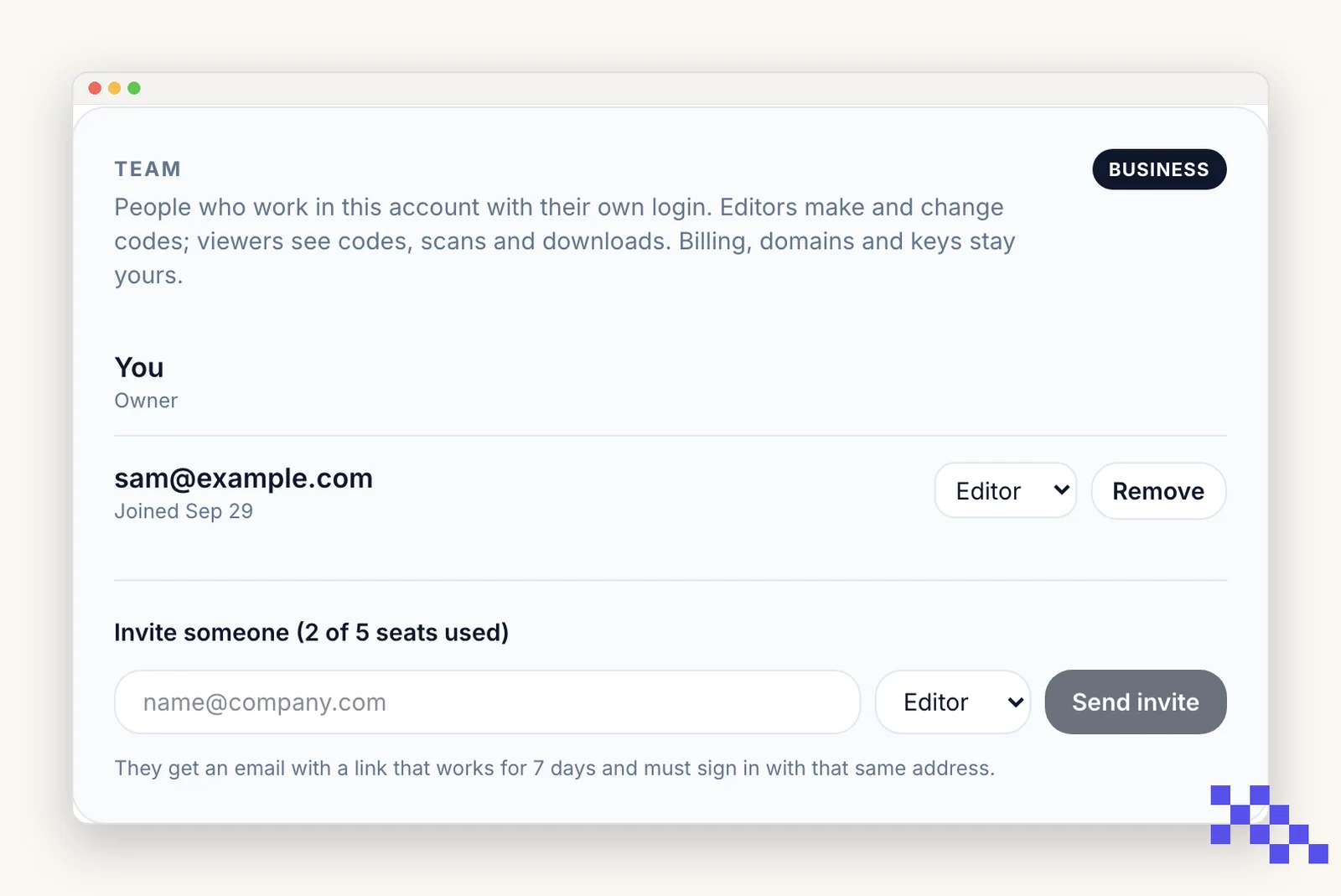
Invite someone
- 1Open Account, then Team
Type their email, pick Editor or Viewer, click Send invite.
- 2They get an email with a link
The link works for 7 days. They sign in with that same address, or create a free login with it, and click Accept.
- 3They land in your workspace
Their Dashboard now shows your codes with a line like yourcompany.com workspace · editor. You get an email that they joined.
The invite is tied to the address you typed. Someone signed in with a different email sees a message asking them to switch accounts.
Switching between accounts
A member keeps their own free account. The account menu (top right) lists My account and every workspace they were invited to; picking one reloads the Dashboard in it. Codes they make inside your workspace belong to your account and are marked by their email on the Dashboard card.
Inside your workspace the features on offer are your plan's, so a member on a free login of their own still makes dynamic codes there. The Account page always shows the person's own plan.
Removing someone, and what happens on a downgrade
- Remove from the Team card: their access ends immediately and they get an email. Nothing they made is deleted; it stays in your account.
- A member can also leave from their own side; the effect is the same.
- If the account leaves Business, members become viewers at once and their seats close 30 days later. Coming back to Business reopens them.
Pick the plan that fits
Free never expires. Premium is $4 a month for dynamic codes and scan analytics. Business is $29 for link domains, a team of five and the API.
Still stuck? Search the help center, or contact support and a person will answer.