The Bulk generator turns a CSV into a ZIP of PNGs. It lives in the account menu (top-right) once you are on Premium or Business. If your list is already in Google Sheets™, the add-on makes the codes right in the sheet instead.
Prepare the CSV
Two columns, UTF-8, no blank rows. The Bulk page has a template to download.
- First row is the header: destination,label
- One code per row.
- destination is the web address the code opens. A column called url works too.
- label is optional. It becomes the file name and the code's name in your dashboard.
Tip. Working in Google Sheets™? Skip the export. The add-on reads the sheet directly and writes each code, short link and scan count back into the row.
Upload and generate
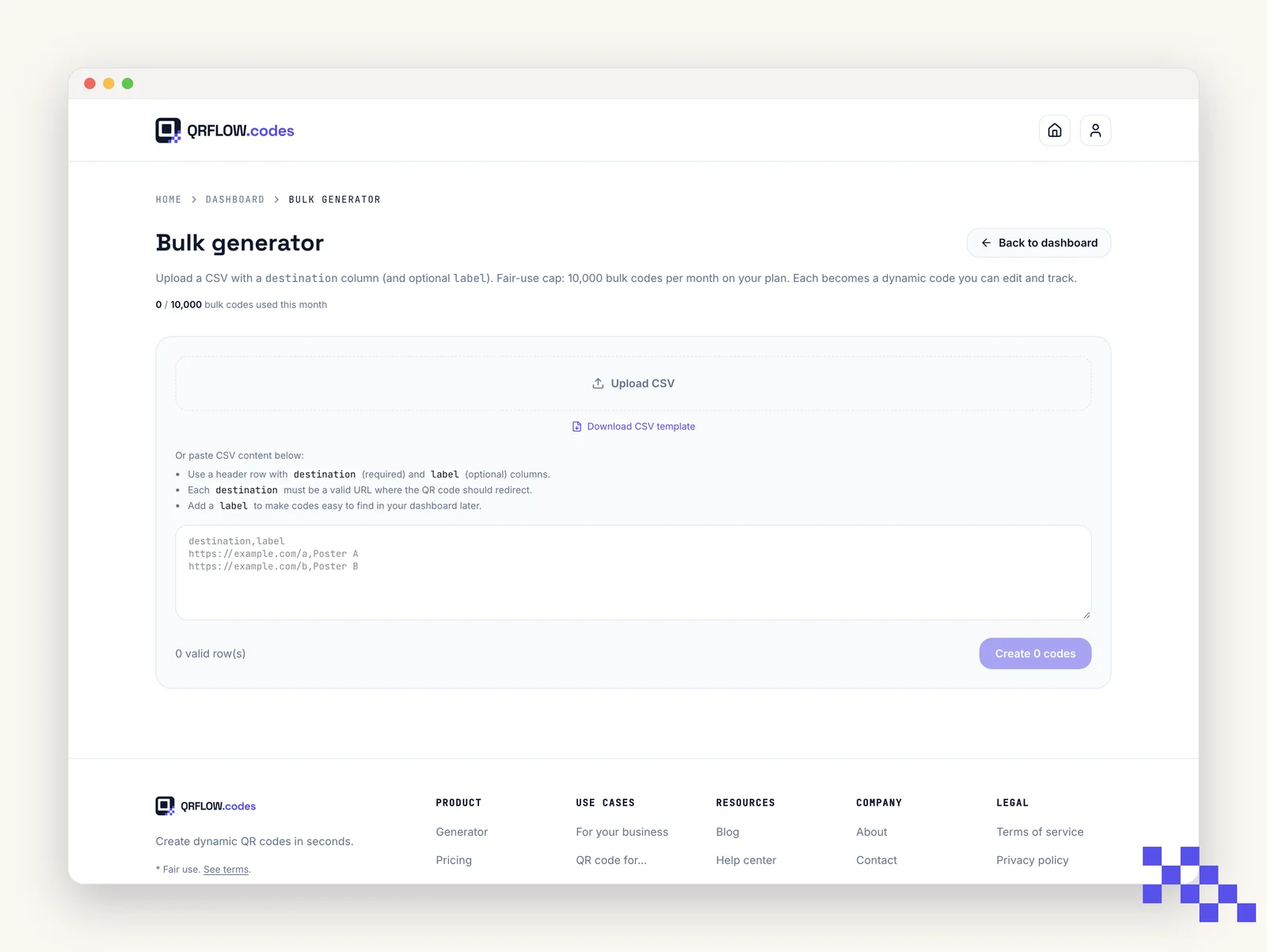
- 1Open Bulk generator
Account menu, top right, Bulk generator.
- 2Drop the CSV
Drag it onto the upload area or click to browse.
- 3Review the preview
Fix any warnings before generating. Common ones: missing URL, invalid characters, duplicate names.
- 4Click Generate
You get a ZIP of PNGs when it finishes. Every code is also saved to your Dashboard.
Web addresses only
Every row in a bulk CSV becomes a dynamic link code. Wi-Fi, contact card, SMS, phone and the other types are made one at a time in the generator, because each needs its own fields rather than a single address.
A row that is not a valid http or https address is rejected and listed back to you by name. The rest still generate, so one bad row in two hundred does not stop the batch.
What you get, and what to do next
- Every row is a normal dynamic code. You can change its destination later, pause it, give it an expiry date and read its own scan numbers, one by one.
- Each code counts separately in analytics, which is the point: 40 table codes tell you which table gets scanned.
- The label column is the file name in the ZIP and the name in your dashboard. Name them so you can find them in six months: table-01 beats code1.
- Link names are set one code at a time on the code's own page, not in the CSV.
Tip. Put the batch date in the names (market-2026-10-01) when you run the same list again each season. The dashboard sorts them together and you never wonder which print run a code belongs to.
Batch limits
- Premium: up to 500 codes per month, up to 500 per batch.
- Business: up to 10,000 codes per month, up to 2,000 per batch.
- The month is a calendar month and the allowance resets on the 1st. It counts codes actually made, not rows you tried.
- Codes made with the Google Sheets™ add-on count toward the same allowance.
Put this to work on your codes
Save a code to your dashboard and you can re-point it after printing, lock it, and watch every scan. Premium is $4 a month.
Still stuck? Search the help center, or contact support and a person will answer.