QRFLOW.codes is free for unlimited static codes. Premium ($4 a month) adds dynamic codes, your own link domain with link names, scan analytics, logos, frames, 4K PNG and bulk CSV generation. Business ($29 a month) adds a team of up to five people, up to five link domains, API keys, GS1 codes, higher limits and priority support.
What is in each plan
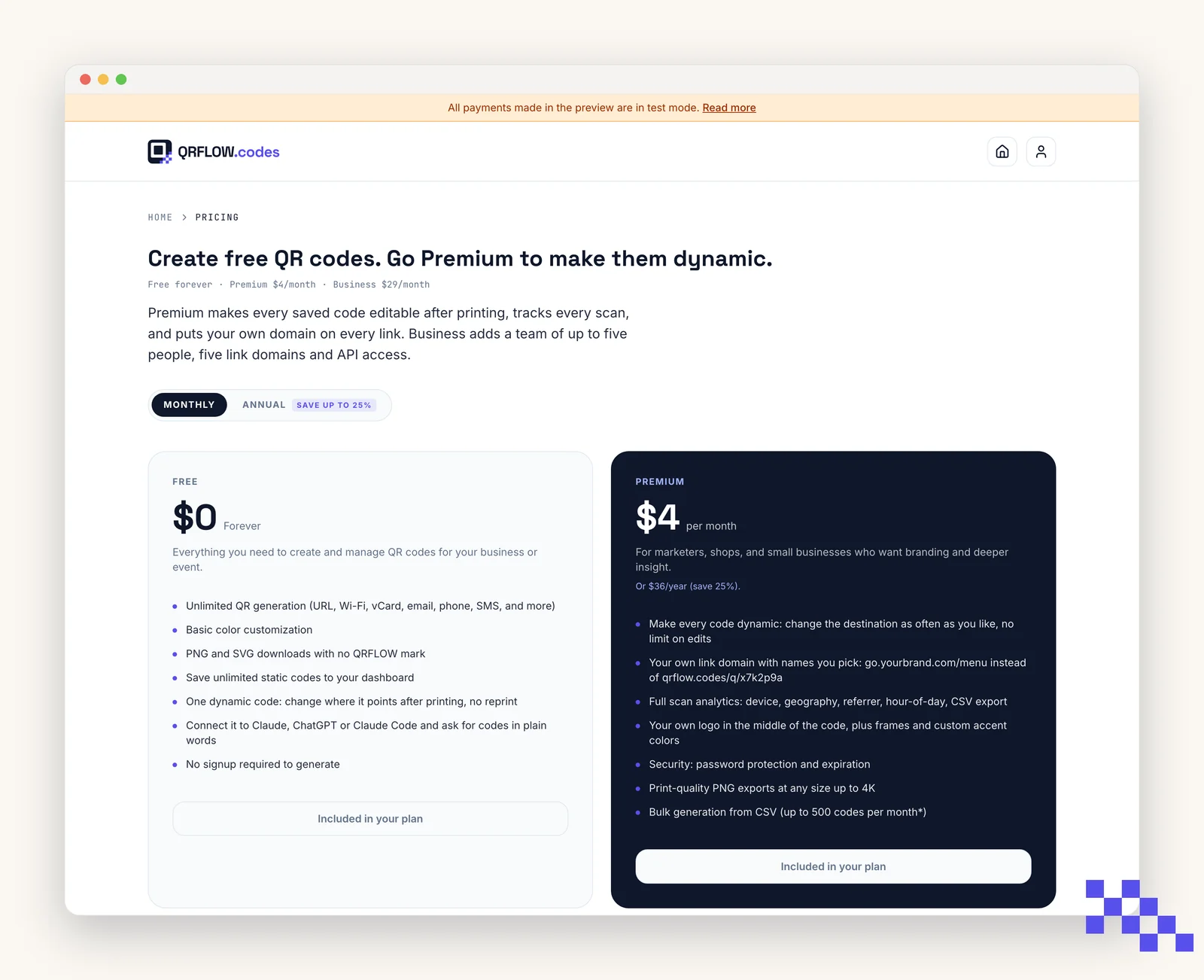
- Free: unlimited static codes, colors, and PNG and SVG downloads with no mark once you have an account. No cap.
- Premium ($4 a month): dynamic codes, your own link domain with link names, scan analytics with CSV export, center logo, frames, PNG up to 4K, password and expiration, bulk CSV up to 500 codes a month. Fair use: up to 1,000 saved codes.
- Business ($29 a month): everything in Premium plus a team of up to 5 people with editor and viewer roles, up to 5 link domains, API keys for your own systems, GS1 codes, bulk up to 10,000 codes a month (2,000 per upload), a 1,000,000-scan check-in instead of 100,000, and priority support with a reply within one business day. Fair use: up to 25,000 saved codes.
Upgrade
- 1Open Pricing
From the header or footer. When you are signed in the buttons read Upgrade, or Your current plan.
- 2Click Upgrade to Premium (or Business)
Stripe Checkout opens in a new tab.
- 3Pay
Card, Apple Pay, or Google Pay. Access is unlocked instantly.
Manage billing or cancel
Open Pricing while signed in and click Manage billing on your current plan. That opens the Stripe billing portal where you can update your card, download invoices, switch plans, or cancel.
Cancelling keeps your plan active until the end of the current billing period. You do not lose data at any point.
Pick the plan that fits
Free never expires. Premium is $4 a month for dynamic codes and scan analytics. Business is $29 for link domains, a team of five and the API.
Still stuck? Search the help center, or contact support and a person will answer.