Cursor alone vs Cursor with QRFLOW
Cursor can write a script that renders a static QR PNG with a library. Not editable after printing, not tracked.
| Cursor alone | Cursor + QRFLOW | |
|---|---|---|
| The code you get | A static PNG with your link inside | A dynamic code in your QRFLOW account (static on Free) |
| Change where it goes after printing | No | Yes, in one sentence |
| Count scans, by day, country, device | No | Yes |
| Your own domain in the code | No | Yes, on Premium and Business |
| Wi-Fi, review, Instagram, PDF and 40 more kinds | Only if you write the format yourself | Ask for the kind by name |
| Pause, expire, rename, bulk | No | Yes |
| Where it lives afterwards | In the chat | On your dashboard, tagged with the assistant's name |
Once, about a minute
Install the connector
Add it by pasting the address
- 1
Open Cursor Settings › MCP
Cursor Settings (⌘ , or Ctrl ,) then MCP, or Tools & Integrations on newer builds. Press "New MCP Server" or "Add".
- 2
Add the server
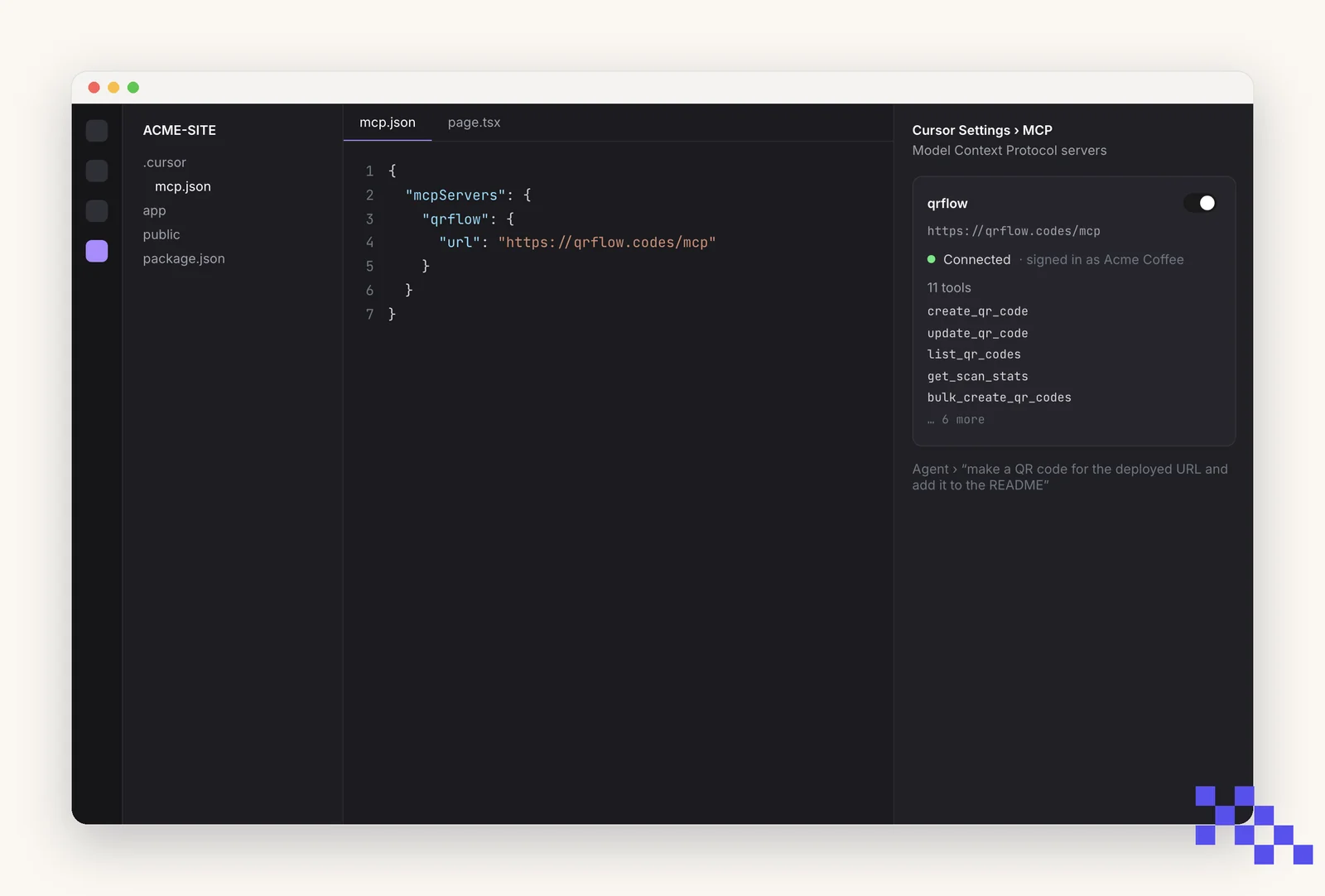
Cursor opens mcp.json. Add an entry with the URL https://qrflow.codes/mcp (config below). Save; QRFLOW appears in the list with a sign-in prompt.
- 3
Sign in
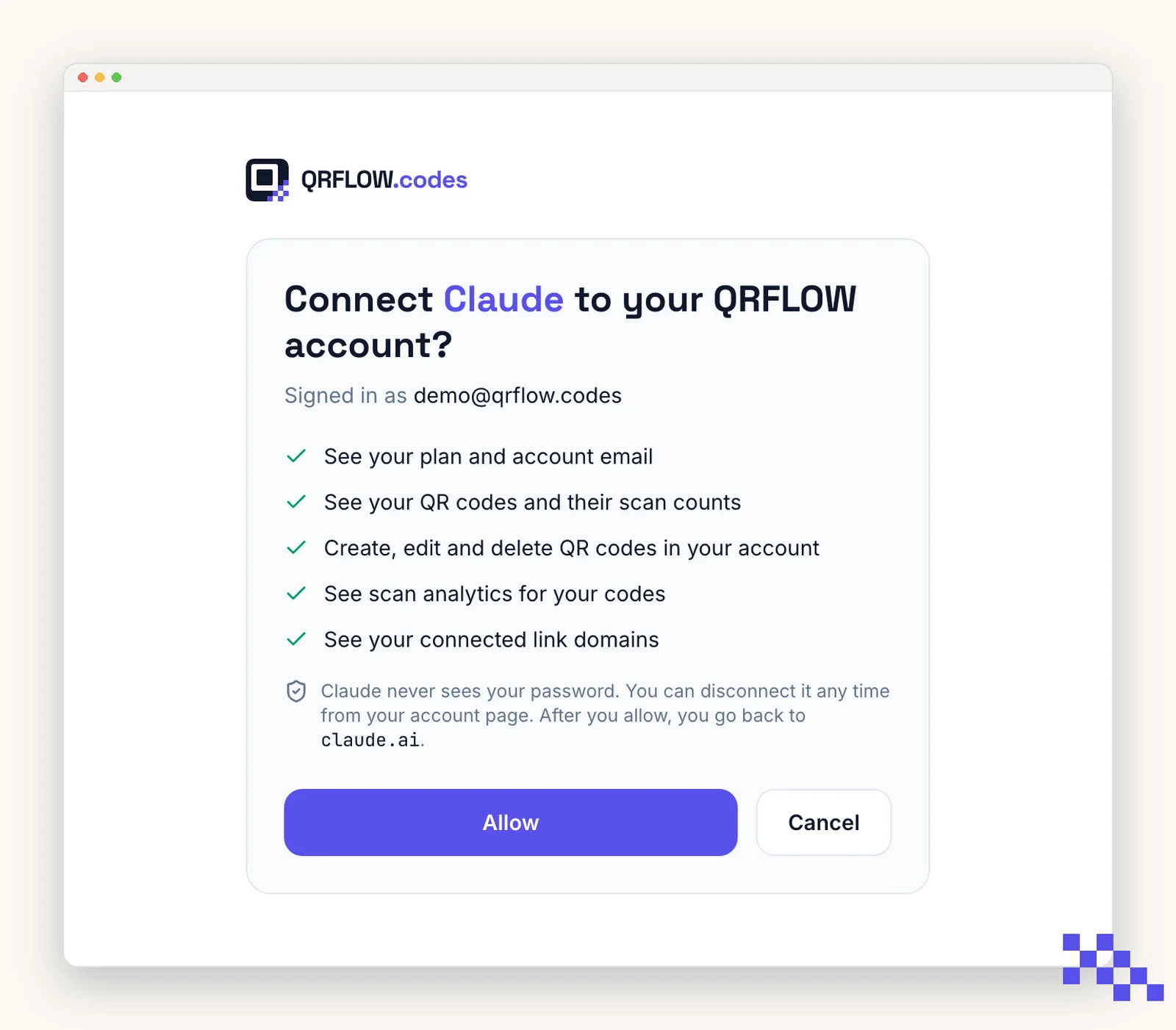
Press Needs login / Authenticate next to QRFLOW. Your browser opens a QRFLOW page: sign in and press Allow.
Then
- 1
Ask the agent
In Agent mode: "make a QR code for the deployed URL and add it to the README". Cursor shows the tool call and asks before anything that changes your account.
The app screens above are simplified drawings, not screenshots; labels follow each app's own and can move between versions. The QRFLOW consent screen is the real one.
https://qrflow.codes/mcp
{
  "mcpServers": {
    "qrflow": { "url": "https://qrflow.codes/mcp" }
  }
}
The agent decides when to call QRFLOW. Say what you want in the chat; approve the tool call when Cursor asks.
Copy and paste
Say this
“Make a QR code for our app page and save the SVG into /public/qr.svg.”
“List my QR codes and tell me which have zero scans.”
“Point the App download code at the new App Store link.”
“Make a QR code for each URL in links.txt, named after the line.”
Any kind works by name. Popular ones: Link.
What it cannot do
- Add a logo to a code. Logos are added in the QRFLOW dashboard; the assistant's image then includes it.
- Make a dynamic code on the Free plan. Free makes static codes (the content is inside the picture); Premium makes dynamic ones you can change later.
- See anything outside your QRFLOW account, or act without you: you press Allow once, and deleting a code asks first.
- Move money. A Venmo or PayPal code only opens a link you gave it.
Plans
| What the assistant can do for you | Free | Premium | Business |
|---|---|---|---|
| Static codes (Wi-Fi, contact card, one-off links) | Yes | Yes | Yes |
| Dynamic codes: change the destination after printing | No | Yes | Yes |
| Scan analytics by day, country, device | No | Yes | Yes |
| Your own link domain (go.yourbrand.com) | No | 1 | 5, chosen per code |
| Bulk: many codes in one ask | No | 500/month | 10,000/month |
| Team | 1 | 1 | 5 people |
| Price | $0 | $4/month | $29/month |
The connector is free. Dynamic codes, analytics and your domain are Premium.
Questions
Can Cursor make a QR code for free?
Yes. Cursor alone can draw a static QR code, and with the QRFLOW connector the Free plan makes static codes too. A code you can change after printing, name on your domain and track needs QRFLOW Premium ($4 a month).
Is the code safe to print?
Yes. QRFLOW only accepts web, mail, phone, SMS, map and a few app links; a javascript: or data: link is refused. The picture is the same standard QR any phone camera reads.
Can it change a code that is already printed?
If the code is dynamic (Premium or Business), yes: say where it should go now and the printed code follows. A static code cannot change; ask for a new one.
What does the assistant see in my account?
Your codes, their scan numbers and your link domains, and only after you press Allow on a QRFLOW page. It never sees your password. Disconnect any time from Account › Connected apps on qrflow.codes.
Does it work on my phone?
Once connected, yes: connectors follow your Cursor account, so the same QRFLOW connection works in the mobile app.
How do I tell which codes an assistant made?
Every code shows its maker on the dashboard: a small "Cursor" badge next to the type, the way Canva codes show "Canva".
Where does mcp.json live?
Project: .cursor/mcp.json in the repo (shared with the team). Global: ~/.cursor/mcp.json.
Can I use an API key instead of signing in?
Yes on Business: add "headers": { "Authorization": "Bearer qrf_live_…" } to the entry and skip the browser.
Next
- Make a QR code in ClaudeWorks today
claude.ai, Claude Desktop and the Claude mobile apps. In the directory: press Connect.
- Make a QR code in ChatGPTWorks today
chatgpt.com and the ChatGPT desktop and mobile apps.
- Make a QR code from Claude CodeWorks today
the terminal, VS Code and JetBrains through the Claude Code extension.
- Make a QR code from VS CodeBeing verified
Visual Studio Code on macOS, Windows and Linux.
- Make a QR code from WindsurfBeing verified
The Windsurf editor on macOS, Windows and Linux.
- Make a QR code from CodexBeing verified
The terminal, and the Codex IDE extensions that share its config.
- Make a QR code from Gemini CLIBeing verified
The terminal.
- Make a QR code in GeminiNot yet
The Gemini app at gemini.google.com and the Gemini mobile apps.
- Make a QR code in Microsoft CopilotNot yet
The Copilot app, copilot.microsoft.com and Copilot in Windows and Microsoft 365.
- Make a QR code in PerplexityNot yet
perplexity.ai, the Perplexity desktop and mobile apps, and the Comet browser.
- Make a QR code in GrokNot yet
grok.com, the Grok apps and Grok inside X.
All assistants: Make QR codes with your AI assistant. Building it into your own app? Developer docs.