
QR codes in personal branding work best when you give each code one job, link it to a page with 3 to 5 strong examples or one clear action, and keep separate codes for resumes, cards, and events.
If you're trying to stand out without looking gimmicky, this is the right use for a QR code. The trick is simple: match each code to a real moment, then send people to the one page they need next.
1. Put your best work behind your resume#

A resume QR code should open proof, not just your homepage. The best target is a short personal site or portfolio page with 3 to 5 strong samples, a short bio, and one clear contact button.
That works because a hiring manager may look at your resume for less than a minute. A code in the top third or near your contact line can send them straight to a reel, writing samples, design work, or case studies. If the linked page may change, make the code dynamic so you can swap projects later instead of reprinting. For more on resume-friendly profile links, our guide to a digital business card with QR code helps.
Tip: Name the page for the job you want, like “Product design portfolio” or “Freelance copywriting samples,” not just “Welcome.”
2. Send people to a personal website, not a link pile#

A personal website makes a stronger first stop than a long list of social icons. One clean page with your photo, offer, proof, and contact details usually beats making someone choose from six tabs.
This is one of the smartest uses of QR codes in personal branding because it keeps your story in one place. A consultant might print a code on a one-sheet that opens a page with services, two testimonials, and a booking link. A job seeker might use a page with a headline, resume PDF, and portfolio. If you need help making that first destination, start with a QR code for a link.
Tip: If your website takes more than two taps to reach your work or contact form, the page is doing too much.
A fast setup helps here. You can make a code in the free QR code generator, download it, and test the exact page your resume or card will open before you send anything out.
Make QR codes in personal branding work on business cards#

QR business cards should answer the next question a person has about you. That might be “How do I save your details?” or “What do you actually make?”
A card handed over at a meetup has a very short window. For a recruiter, the code might save your contact as a vCard. For a photographer, it might open a booking page with your best three shoots. For a founder, it might open a short “start here” page with your offer, story, and email signup. If you want the card itself to look more on-brand, a custom QR code generator can help you add color without making the scan harder.
Tip: Don't send a business card scan to your Instagram unless Instagram is where you actually close work.
4. Add a code to portfolio, leave-behinds and proposal packs#

Printed proposals and leave-behinds feel more useful when the code opens the live version. That could be a current portfolio, a project page, a price guide, or a short intro video.
This is especially good for freelancers and solo studios. A printed pitch deck can get separated from the email thread, but a code on the cover gives it a way back to you. A designer might link to motion work that paper can't show. A writer might link to published clips. A coach might link to a booking calendar or testimonial page. If your files change often, your first dynamic code is free on QRFLOW.codes, which is genuinely handy for proposal updates.
Tip: Put the code on the front or back cover, not buried on page 9 where nobody looks.
5. Use packaging, thank you cards, and inserts as brand touchpoints#

Small printed extras can carry a lot of brand weight. A package insert, thank you card, or order slip can open a welcome page, setup guide, referral offer, or founder story.
This works well for makers, coaches, artists, and small online shops. Someone who buys from you is already interested, so the next step should deepen the relationship. A ceramic artist might link to care instructions plus a short studio story. A consultant shipping a welcome kit might link to onboarding steps. A creator selling prints might link to a behind-the-scenes page and email signup.
Tip: Match the code to the item. A thank you card should not send people to the same page as your conference badge.
6. Put event and speaking codes where conversations start#
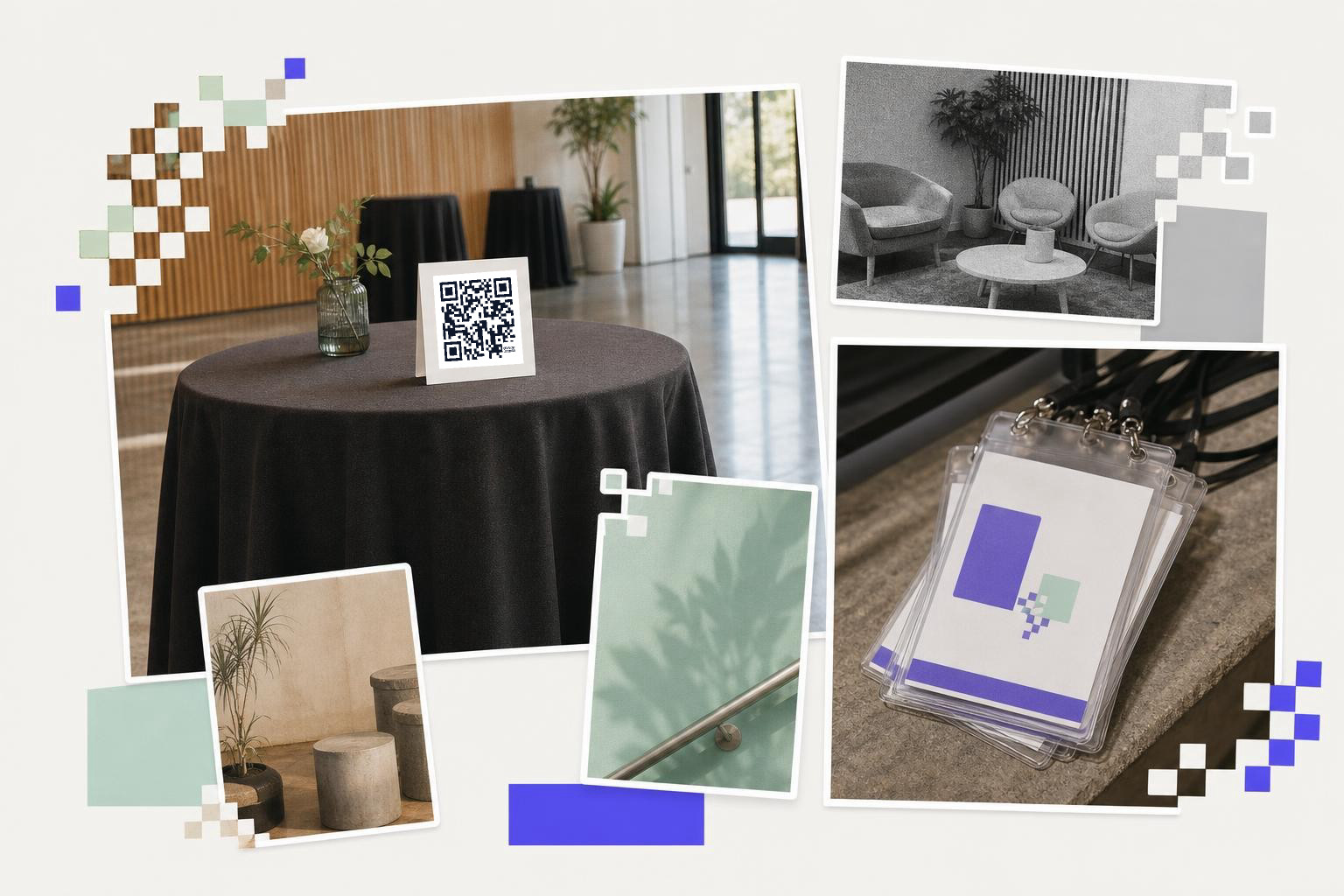
Event QR codes work best when they fit the exact moment. A badge, table card, workshop handout, or speaker one-sheet can each point somewhere different.
A speaker badge code might open a short bio and downloadable slides. A booth handout might open a demo request page. A networking table card might save contact details in one scan. For in-person events, this often beats spelling your name over background noise. If events are a big part of your outreach, the QR codes for events page has more setups that fit badges, tables, and handouts.
Tip: Give each event code one clear outcome. “Book a call,” “download slides,” and “join newsletter” are three different jobs.
7. Create one code just for contact saving#
A contact-saving code removes friction fast. If people need to type your email, website, and phone number by hand, some of them won't bother.
A vCard code is great for networking, local services, and conferences. One scan can save your name, title, email, phone, company, and website right into a phone's contacts. Keep this separate from your portfolio or sales page code. Someone who wants to save you should not have to hunt for a tiny contact button halfway down a homepage.
Tip: Use a contact code on cards and badges, and a portfolio code on resumes and proposal pages.
Separate resume and client codes#
One code for every audience sounds tidy, but it usually blurs your message. Recruiters, clients, collaborators, and event contacts are not looking for the same thing.
A job seeker might need a resume code that opens work samples and an “about me” page. The same person might also need a freelancer code that opens services, rates, and a booking form. A startup founder might keep one code for investor decks and another for customer demos. Separate codes let you tailor the page, track what gets scanned, and avoid sending the wrong person to the wrong pitch.
Tip: If you print in several places, label your saved codes by audience so you know what belongs on what.
9. Use scan data to learn which personal brand assets pull weight#
If you use dynamic codes, scan data can tell you which printed pieces deserve to stay. That is useful when you're testing cards, resumes, event handouts, or package inserts.
You do not need huge numbers for this to help. If one conference handout gets scans and your postcard gets none, that tells you something. If your resume code gets opened but nobody clicks through to contact, the landing page may be weak. Premium plans add full scan analytics and custom link names, which can be worth it if you use QR codes across several materials and want cleaner branded links. Pricing details are on the plans page.
Tip: Change one thing at a time, like the destination page or the placement, so you know what caused the difference.
Still, the main goal is not more scans. The goal is better next steps, better conversations, and less friction between “nice to meet you” and “here's my work.”
If you want to make a code for your resume, portfolio, or contact page, start with QRFLOW.codes. If you need a code you can edit later, compare the options on the pricing page.