
Spotify Code or QR code?
They are two different pictures and only one of them belongs on print. A Spotify Code is the striped tag Spotify draws under the cover art, the row of bars that looks like a soundwave. You find it in the app on the thing you want to share: the three dots, then Share, where the code sits on the share card. Spotify's own instructions for reading one send you back into the app, to the Search tab and the camera icon in the corner; Spotify describes them as QR-like tags, not as QR codes. For a printable version there is spotifycodes.com, where you paste the Spotify URI and pick colors and a size.
A QR code is the square one, and it is the one a stranger's camera opens without being told anything. That matters the moment the code leaves your phone: on a poster, a merch tag, a flyer or a table card, the person looking at it is not going to open Spotify and hunt for a scanner first. Both end up in the same place, so use Spotify's code when you are showing someone across a table who already has the app open, and a QR code of the share link for anything you print. How to scan a Spotify Code goes through the app's own scanner, and why a camera ignores one.
Which link to copy
On a phone, open the song, album, playlist or profile, tap the three dots, choose Share, then Copy link. On a computer, right-click the item (or use the three dots next to it), then Share, then Copy link. You get an open.spotify.com address, and the generator above turns it straight into a code.
Copy the link from the thing you actually want people to land on. A track link opens that track, a playlist link opens the whole list, an artist link opens the profile with the Follow button. For your own profile, open your account page and copy the link the same way; profile links are the right choice on a business card or a stall sign, because they keep working after the single stops being the newest thing you made.
- Track: the single you are promoting this month.
- Album or EP: the release, on the sleeve, the poster and the merch tag.
- Playlist: the one you keep updating, which is where a dynamic code pays for itself.
- Artist profile: the everywhere code, for cards, stall signs and the back of a flyer.
- Podcast show or episode: the same Share and Copy link steps.
What the person scanning gets
If Spotify is installed, the phone hands the link to the app and it opens there. If it is not, the link opens Spotify's web player in the browser, where what happens next depends on the listener: Spotify may ask them to log in or to install the app before it plays. Nobody needs a paid account to open the link, but a free listener gets Spotify's free experience, with ads and, on a phone, its shuffle rules, so do not print a promise about how the music will play.
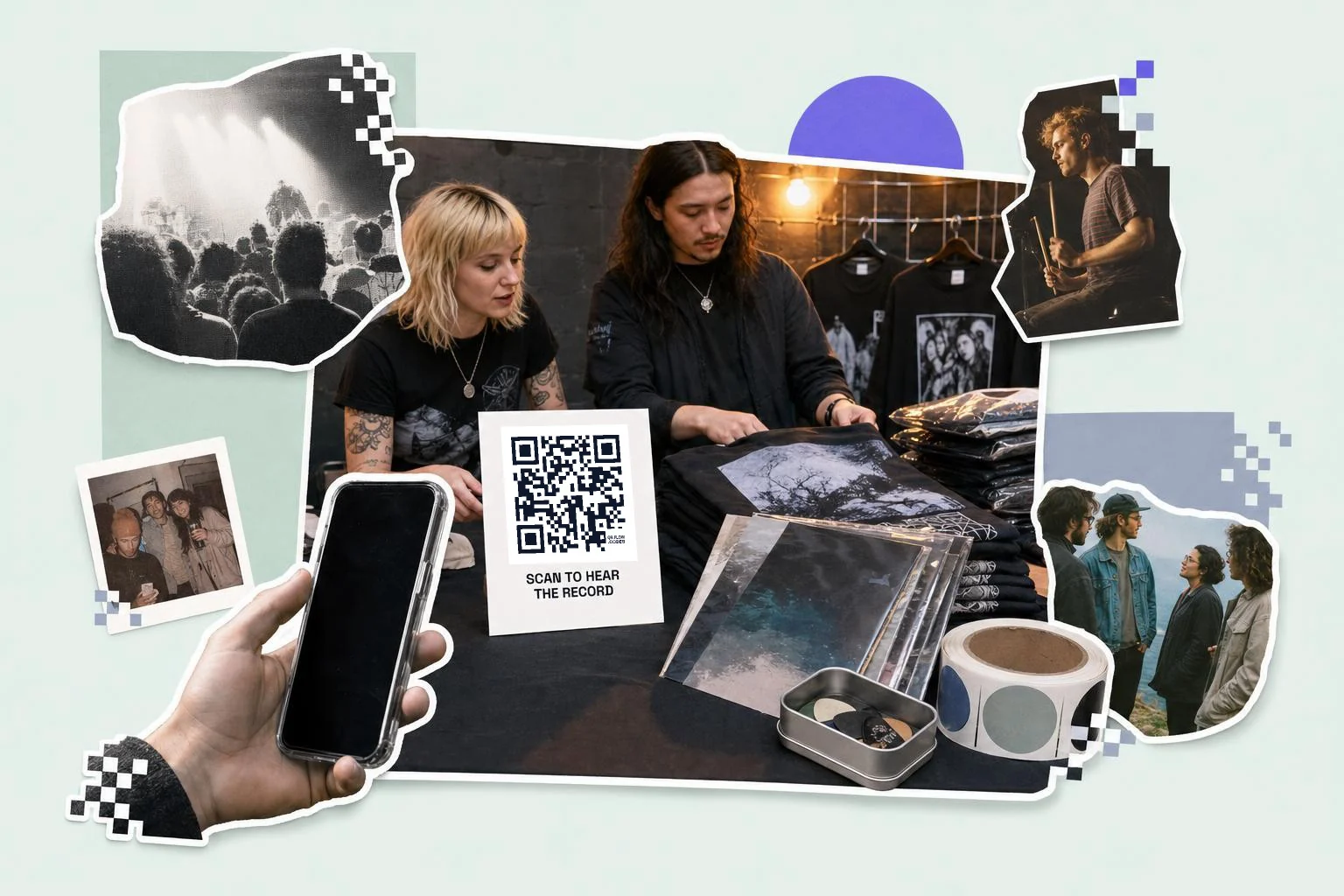
Print a line that says what opens, the way you would for any code: the playlist name, or "Scan to hear the record". A bare square on a poster next to a band name gets read as decoration.
Where it earns listens
Anywhere someone has just heard you, or is holding something you made. The merch table at the end of a set is the best spot there is; the record sleeve, the poster in the venue window, the flyer in the record-shop bag and the sticker on a guitar case all work for the same reason. Away from music, the same code does quiet work for businesses: the playlist a cafe is actually playing, a wedding or party list guests can add to, a shop's own mix on a shelf card.
Black on white scans best, but the code does not have to be plain: a frame, a caption and your own colors survive the print as long as the contrast holds.
- Merch table and gig posters: 3 in (8 cm) or more, the artist profile or the new release.
- Record sleeves, cassette and CD inserts: 1 in (2.5 cm), the album.
- Stickers on cases and laptops: 1.5 in (4 cm), the profile.
- Cafe and restaurant table cards: 1 in (2.5 cm), the playlist that is on.
- Weddings and parties: 1 in (2.5 cm) on a table card, a collaborative playlist guests can add to.
How big to print it
Rule of thumb: the code should be at least one tenth of the distance it is scanned from. These are the sizes that work in practice for this job.
| Where | Scan distance | Minimum width |
|---|---|---|
| Record sleeve or CD insert | 8-12 in (20-30 cm) | 1 in (2.5 cm) |
| Merch tag or table card | 12-16 in (30-40 cm) | 1 in (2.5 cm) |
| Sticker on a case | 12-24 in (30-60 cm) | 1.5 in (4 cm) |
| Gig poster or venue window | 3-7 ft (1-2 m) | 3 in (8 cm) |
Why make it dynamic
Playlists are the most replaced link in music: the summer list becomes the autumn one, the single gets folded into the album, the wedding playlist gets rebuilt the week before. A dynamic code keeps the printed square pointing at whichever list is current, and lets a poster for one release become a poster for the next. It also counts scans, which is the only honest answer to whether the merch table or the flyer actually sent anyone to listen.
Dynamic codes are part of Premium, $4 a month. Static vs dynamic, explained.
Step by step
- 1
Copy the Spotify link
Three dots on the track, album, playlist or profile, then Share, then Copy link. Any open.spotify.com address works.
- 2
Paste it above
The Spotify type is already selected; the code appears as soon as the link is in.
- 3
Caption it and download
A frame with the playlist name or "Scan to hear the record". SVG for posters and sleeves, PNG for stickers.
- 4
Keep the playlist changeable
On Premium the code is dynamic: point it at next season's list and the printed card follows.
Questions people ask
- How do I make a QR code for Spotify?
- Open the song, album, playlist or profile in Spotify, tap the three dots, choose Share, then Copy link, and paste that link into the generator on this page. Download the PNG or SVG and print it; any phone camera will open it.
- Is a Spotify Code the same as a QR code?
- No. A Spotify Code is the striped soundwave tag Spotify draws on the share card, and Spotify's instructions for reading one point back into the app: Search, then the camera icon. A QR code is the square one that a plain phone camera opens. Use Spotify's for showing someone across a table, a QR code for anything printed.
- How do I scan a Spotify Code?
- Open the Spotify app, go to the Search tab, tap the camera icon in the top right, and point it at the code. If you are trying to scan one from a poster and nothing happens with your normal camera app, that is the difference between the two pictures: Spotify Codes are made for Spotify's own scanner.
- Can I make a QR code for a Spotify playlist?
- Yes, and it is the best use of one. Copy the playlist's link from Share, Copy link, and make the code from that. Make it dynamic if the playlist gets replaced rather than edited, so the printed card can point at the new one.
- Does the code open the Spotify app or the browser?
- The app, if Spotify is installed; the phone hands open.spotify.com links straight to it. Without the app the link opens Spotify's web player, where the listener may be asked to log in or install the app first.
- Do people need Spotify Premium to open it?
- No. A free account opens the same link; Spotify's free tier just plays it Spotify's way, with ads and its own shuffle rules on phones. That is the app's behavior, not something the code decides, so avoid printing a promise about how it will play.
- What does a Spotify QR code cost?
- Nothing here for a static code: make it, download the PNG or SVG and print it, and a free account keeps the download unmarked. Premium ($4 a month) keeps the code editable when the playlist or the release changes, and counts scans per poster, tag and card.
Make the code now, change the link later
Free to make and print. Premium ($4/mo) keeps it editable and counts every scan.