The QRFLOW.codes homepage is the generator. There is no Generate button and no signup wall, so you will have a working QR file in under a minute. A free account takes the small corner mark off the download.
Five steps to a working QR
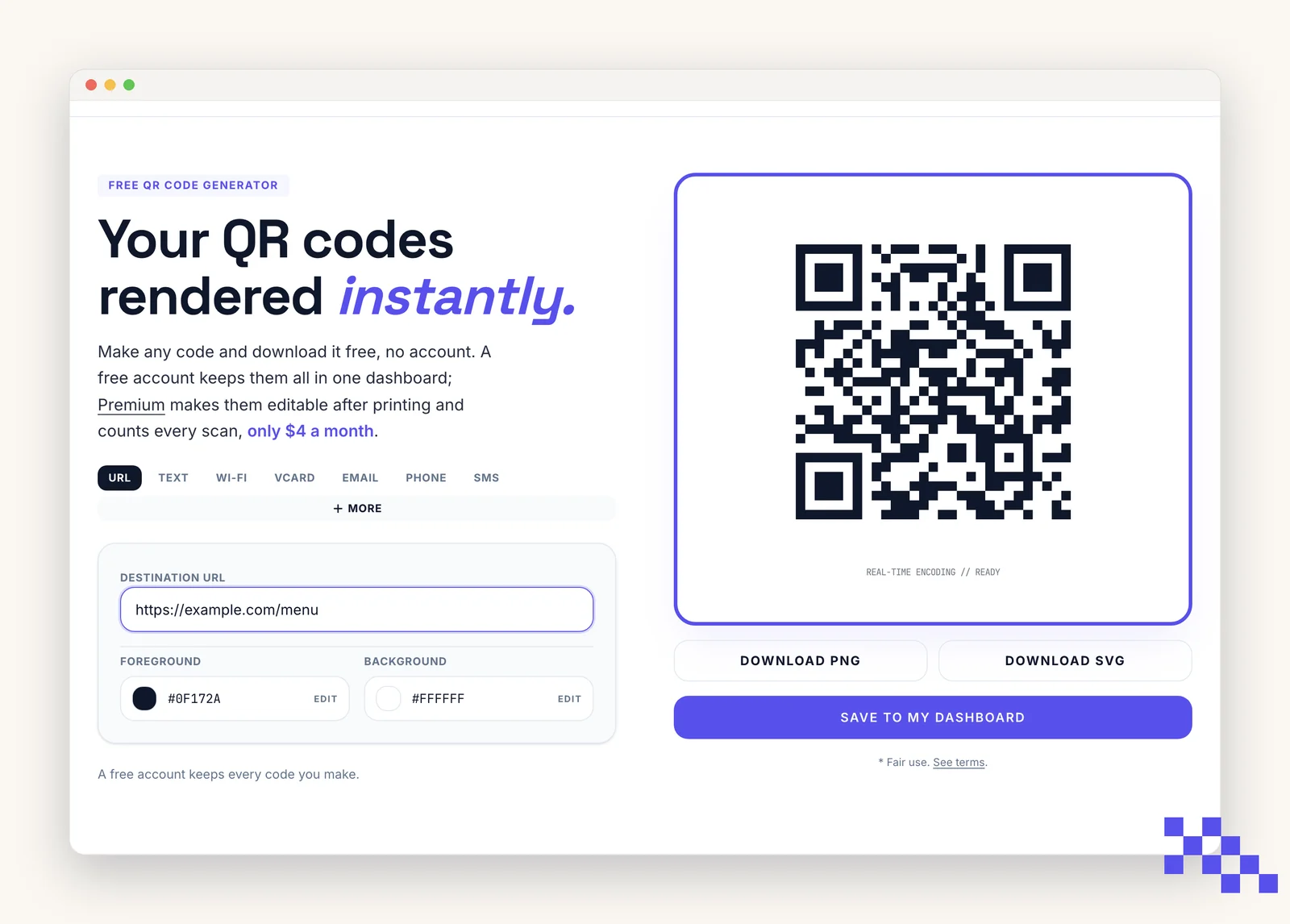
- 1Open the site
Go to qrflow.codes. The generator loads on the home page with URL selected by default.
- 2Pick a QR type
Use the type row at the top of the form (URL, Wi-Fi, vCard, and so on) or click More to browse the full picker.
- 3Fill the fields
Only the required fields matter. Everything else is optional. The preview updates on every keystroke.
- 4Confirm it's ready
The status line under the preview reads Real-time encoding // READY when the code is scannable.
- 5Download
Click Download PNG for print or Download SVG for design tools, then scan the file with your phone to confirm.
Tip. Test every code by scanning it directly from the screen before you print or ship it. It takes five seconds and catches almost every mistake.
What to do next
- Static vs dynamicEdit a code's destination anytime without reprinting.
- Customize your QR codeAdd a logo, custom colors, or a frame.
- Save and manage codesSign up to save codes; Premium tracks scans and edits dynamic codes.
- Create a free accountUnlock dynamic edits, favorites, and analytics.
- Open the generatorJump back to the homepage generator.
- Moving from another QR providerRead this before you reprint anything.
Ready to make your own QR code?
Free QR codes rendered as you type, no signup to try. Premium makes them dynamic for $4 a month.
Still stuck? Search the help center, or contact support and a person will answer.